iSports Video Analyser · PC and Mac

Video analysis for coaches.

Turn match footage into coaching insights. Code key moments, review performance and share feedback with your players, all in one easy-to-use app.

From $37.50 + GST/month · Windows and Mac

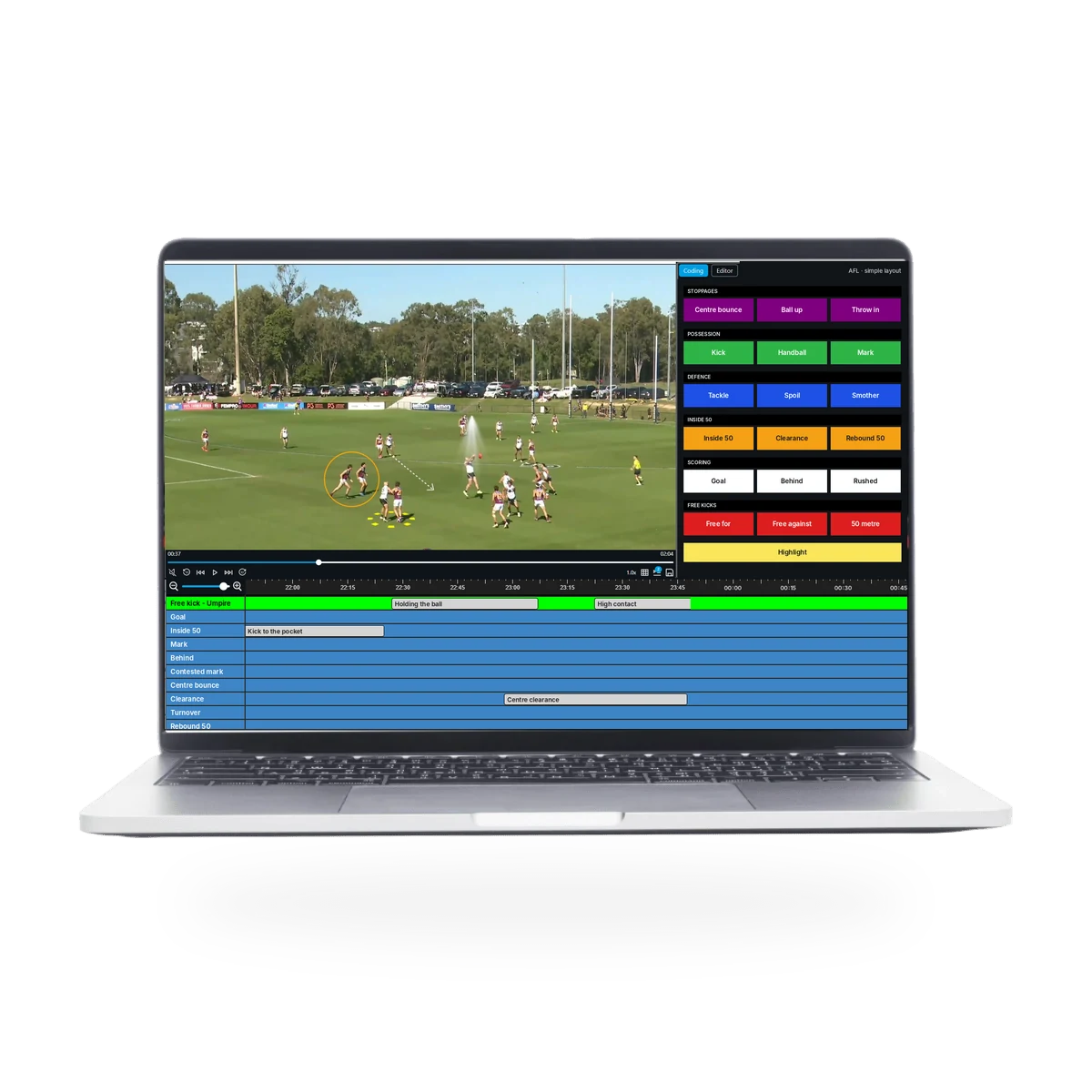
iSports Video Analyser on a laptop in full mode: drawing on AFL footage, with the AFL coding panel and the event timeline below. Around it, coded moments from AFL, rugby league, netball, basketball, soccer and hockey.Rugby league • Line breakAFL • Centre clearanceNetball • Centre passBasketball • Fast breakSoccer • Shot on goalHockey • Penalty corner

Built for every sport.

Templates for every sport, or build your own coding panel, as simple or as detailed as you like. Trusted by clubs at every level, with 100s of teams supported each year.

  • AFL
  • Soccer
  • Hockey
  • Basketball
  • Cricket
  • Rugby league
  • Rugby union
  • Netball
  • Plus more

How it works

From full game to clear feedback.

Four simple steps. You can start in minutes.

  1. Step 1Load your footageAdd game or training video in any format, or import XML from other software.
  2. Step 2Code the gameTag key moments with one click, using a template for your sport or your own panel.
  3. Step 3Review and mark upFind any moment on the timeline, then draw and talk over the play.
  4. Step 4Share with your playersCut playlists and export clips or stats reports for your players.
Coaches use it to
  • Review the last game
  • Analyse the opposition
  • Give players clear feedback
  • Track team stats
  • Plan training

Features

Everything you need to review a game.

Custom coding, the timeline, the event matrix, drawing and audio, and playlists, all in one app.

iSports Video Analyser · Coding
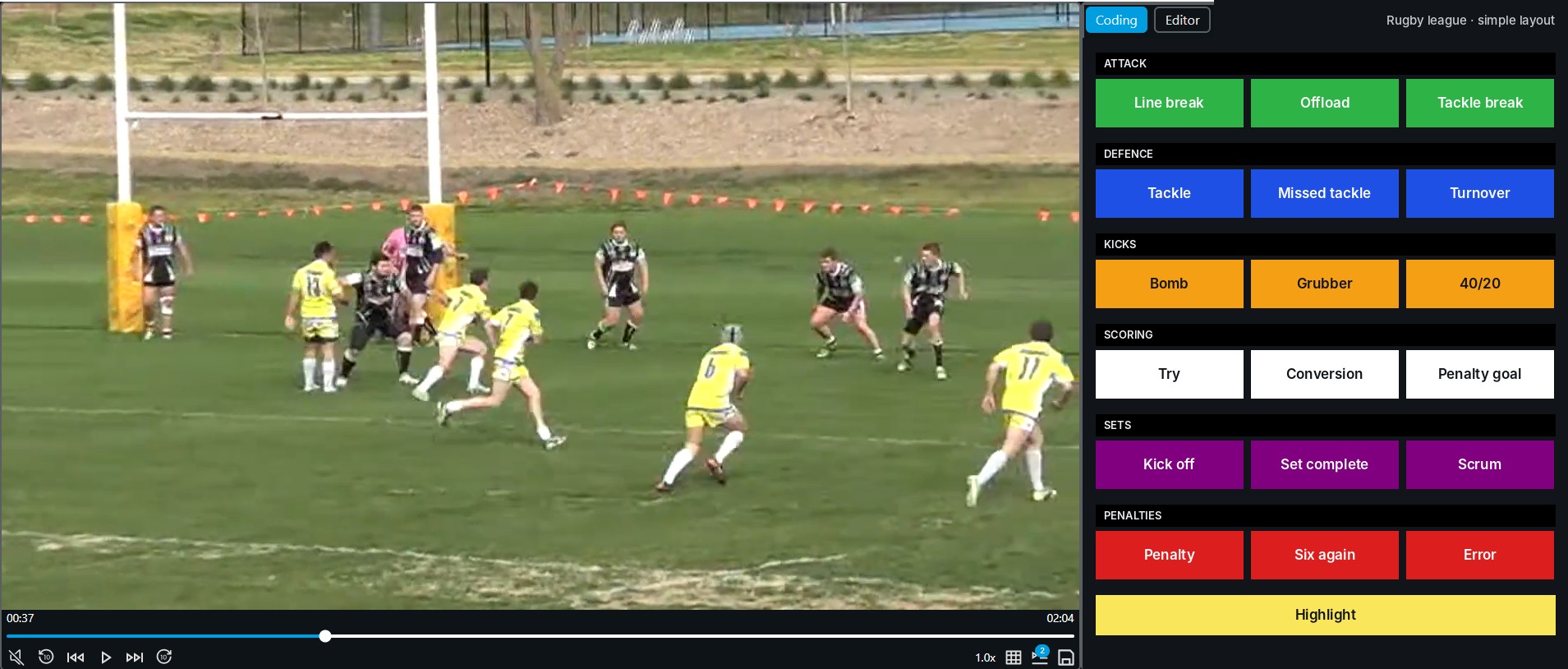
Coding a rugby league game in iSports Video Analyser: the match video beside a simple coding panel with attack, defence, kicks, scoring, sets and penalties buttons
Templates forAFLSoccerHockeyBasketballCricketRugby leagueRugby unionNetballPlus more

Custom coding

Focus on the moments that matter

Track the stats and match events that matter to your coaching. From simple scoring chances to detailed analysis, Video Analyser adapts to how you coach.

  • Start simplePick the template for your sport, or start with a few buttons for scores and key moments.
  • Add detail when you need itAdd buttons for players, phases and stats as your analysis grows. No unnecessary complexity.
iSports Video Analyser · Timeline
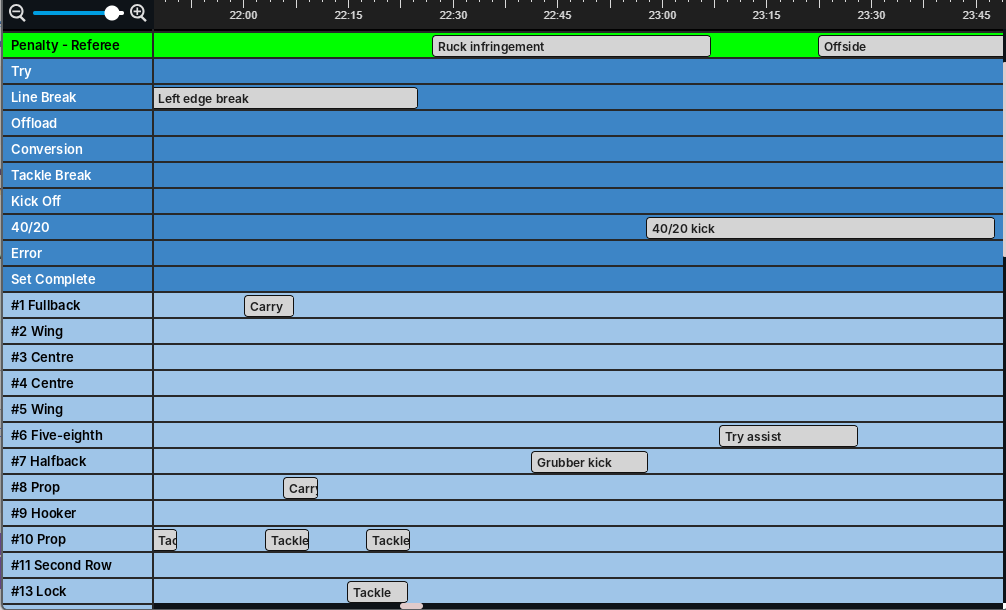
The event timeline in iSports Video Analyser for a rugby league game: rows for penalties, tries, line breaks, offloads and each player, with clips such as Ruck infringement, 40/20 kick and Tackle placed along the game clock

Event timeline

See the whole game at once

  • Every markup in one viewThe timeline shows all your markups, so you can edit instances, add notes and build custom playlists.
  • Export and shareExport every marked-up clip into a single video file to watch on its own or share in the iSports TEAM app.
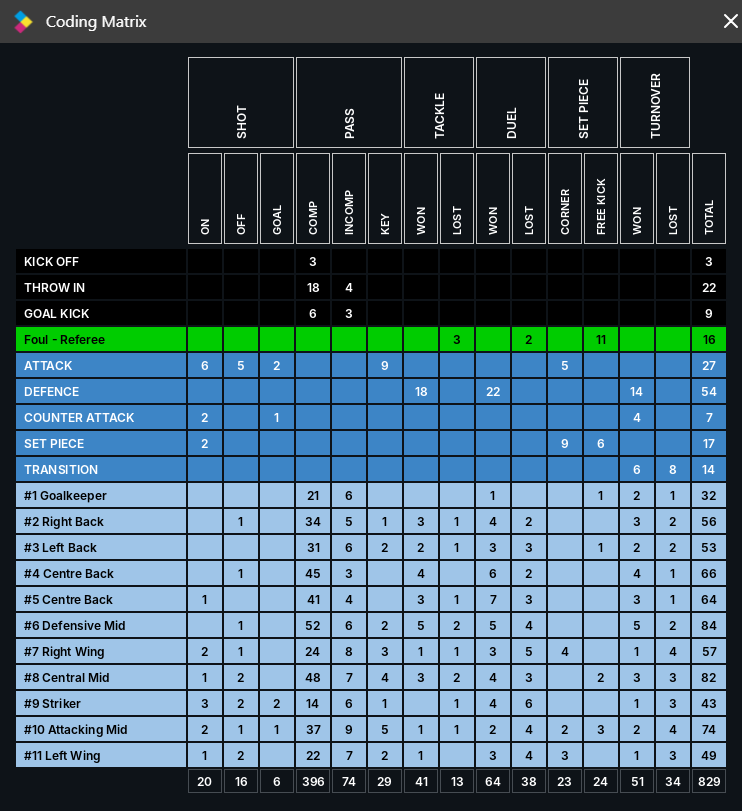
The coding matrix in iSports Video Analyser for a soccer game: rows for each player and phase of play, columns for shots, passes, tackles, duels, set pieces and turnovers, with a total for each

Event matrix

Every tag, one click away

  • An interactive matrixAll your coding and markups in one matrix. Click any number to jump to those moments.
  • Stats reports in one exportExport your coded data into a detailed stats report to track team performance.
iSports Video Analyser · Drawing
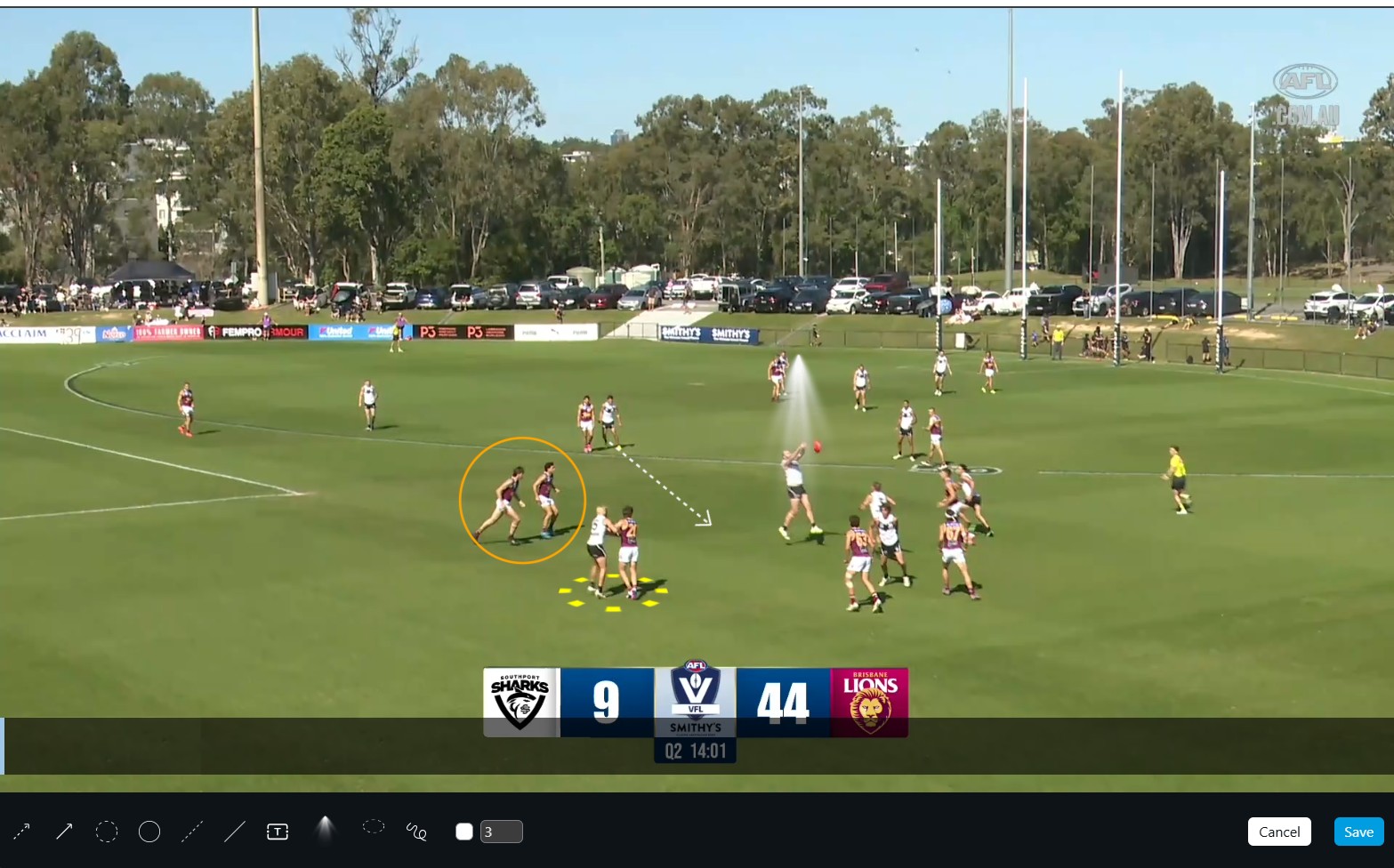
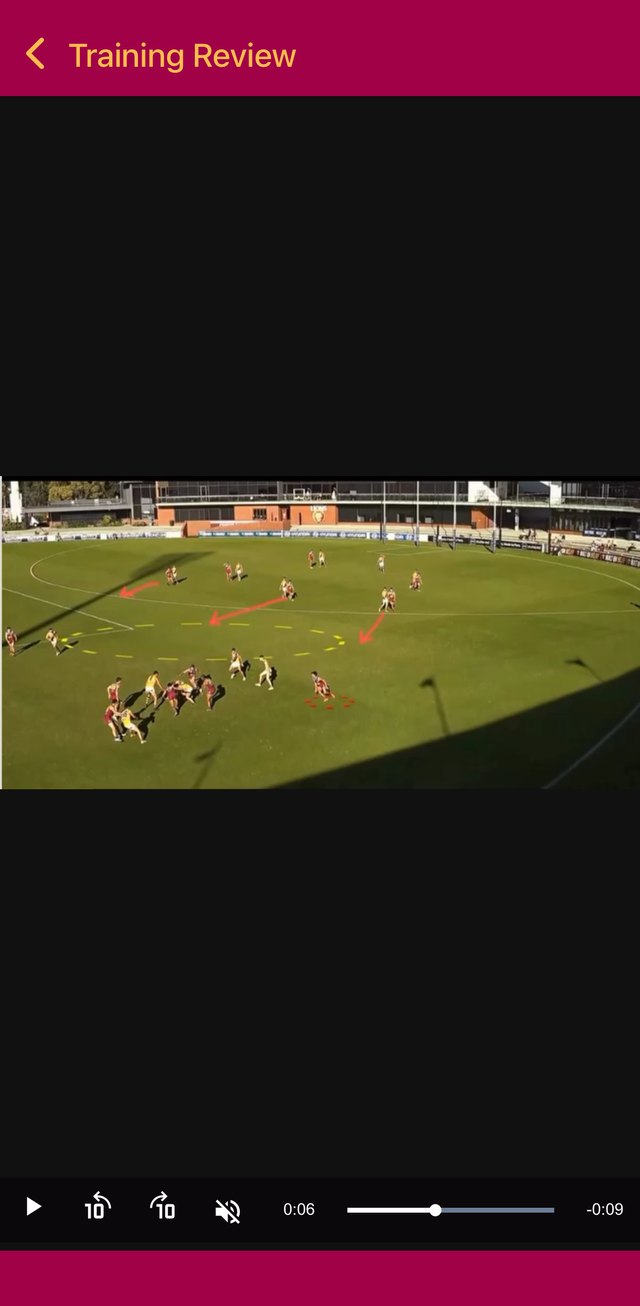
Drawing on AFL match footage in iSports Video Analyser: a circle around two players, a dashed arrow, a spotlight on the ball and a highlight disc, with the drawing tools along the bottom

Drawing and audio recording

Turn game footage into a coaching tool

  • Drawing tools that keep upHighlight key moments with arrows, spotlights, highlight discs, freehand drawing, text boxes and more.
  • Talk over the playRecord your voice straight onto the video, so players get clear, actionable feedback they can replay.
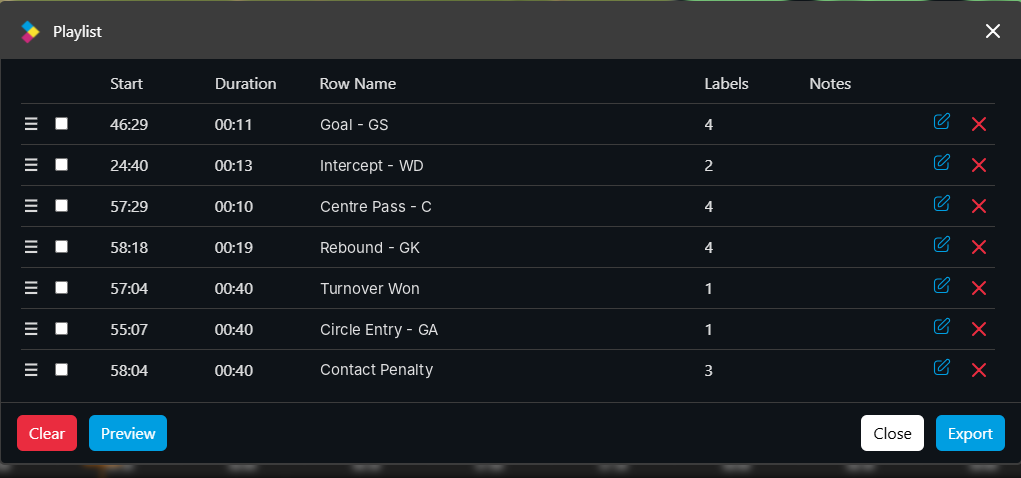
A netball playlist in iSports Video Analyser: seven clips such as Goal - GS, Intercept - WD and Centre Pass - C, with start times, durations and buttons to preview or export

Playlists

Trim a full game to 4 minutes

  • Build playlists from the timelinePick the key moments for reviews, presentations or sharing with players.
  • Focus on what mattersCut a full game down to a short reel for team meetings and tactical reviews.

Works with iSports TEAM

Code the game. Share it with your team.

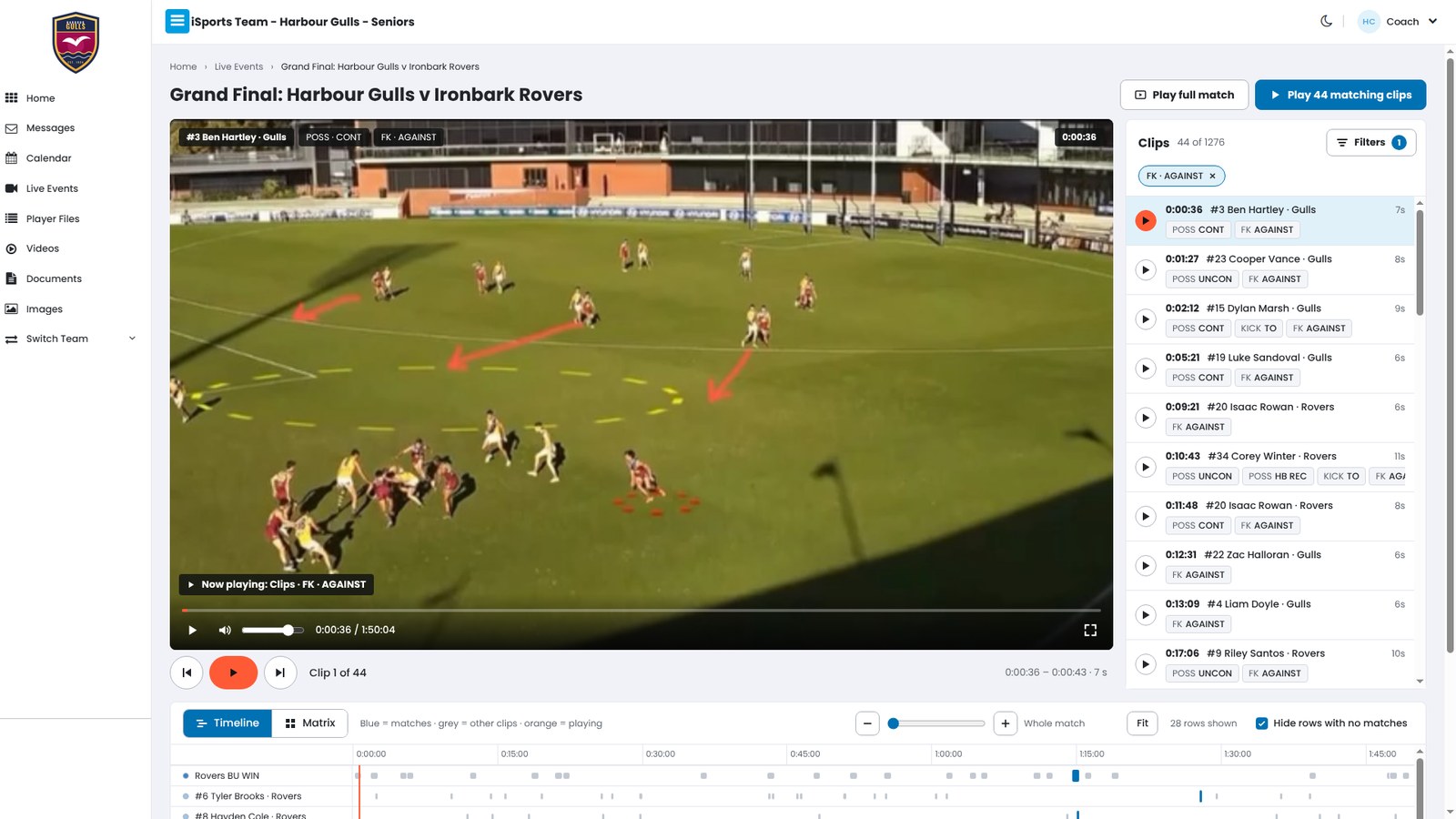
Video Analyser is where you code and review the game. iSports TEAM is where your team talks and shares. Import your coded game into TEAM in a few clicks, and coaches and players can watch the clips on their phone.

  1. CodeTag the game in Video Analyser.
  2. ImportBring the video and your coded clips into iSports TEAM.
  3. ShareWith the whole squad, a group or one player.

iSports TEAM is a separate app with its own subscription. Use them together with the TEAM + Video Analyser plan below.

See iSports TEAM
iSports TEAM · Match review
A coded game in iSports TEAM: the match video plays the filtered clips, with the coded clip list beside it and a timeline below
A player watching a marked-up clip in the iSports TEAM app on their phone

Pricing

Simple pricing.

One licence, paid monthly or yearly. Prices exclude GST.

Buy online

Per licence

Video Analyser

For coaches who code and review their own games.

$37.50+ GST per month

Monthly subscription, billed each month.

$450+ GST per year

Yearly licence, billed once a year.

  • Match video coding and analysis
  • Review key moments on the timeline and event matrix
  • Flexible coding to suit your sport
  • Export clips and playlists to share with players
  • Windows and Mac

Two apps that work together

TEAM + Video Analyser

For clubs that want analysis and team communication together.

Contact us for pricing

Video Analyser for the analysis. iSports TEAM for messages, the calendar and files.

  • Analyse match footage in Video Analyser
  • Review important moments with your players
  • Message players and coaches in iSports TEAM
  • Organise games and training in the TEAM calendar
  • Keep team files and information in one place

Getting started

Up and running in three steps.

We're here if you need a hand.

  1. Buy your licence

    Pay monthly or yearly online, or book a demo first.

  2. Download Video Analyser

    Get the Windows or Mac version at the bottom of this page.

    Go to downloads
  3. Start coding

    Pick the template for your sport and load your footage.

FAQ

Questions before you start

Still deciding? Book a demo or contact us.

Which sports can I code?

Any sport. There are templates for all sports, including AFL, soccer, hockey, basketball, cricket, rugby league, rugby union and netball, or you can build your own coding panel.

Is it easy to use?

Yes. Load video in any format, pick the template for your sport and start coding. Add more detail when you need it. Book a demo and we'll help you set it up.

How does coding work?

Press a button on your coding panel as each moment happens in the video. Each press tags a clip on the timeline, so you can find, review and share it later.

How do I share video with players?

Export marked-up clips or a playlist as one video file. If your club also uses iSports TEAM, import the coded game into TEAM and share it with the squad, a group or one player.

How much does it cost?

$37.50 + GST per month, billed monthly, or $450 + GST per year, billed once a year. For TEAM + Video Analyser, contact us for pricing.

Does it work on Windows and Mac?

Yes. There are versions for Windows and for Mac (Apple silicon and Intel). Download the right one at the bottom of this page.

See it on your footage.

Book a demo and we'll show you Video Analyser with the template for your sport.

Book a demo

Downloads

Download Video Analyser

Version 2.7.0. You need a licence to use it. Need help installing? Contact us.

Windows

Download for Windows64-bit · .exe installer

Run the installer and follow the prompts.

Mac

Mac with Apple siliconM1 or later · .dmgMac with IntelIntel processor · .dmg

Open the .dmg and drag Video Analyser into Applications. Not sure which Mac you have? Apple menu, then About This Mac.